
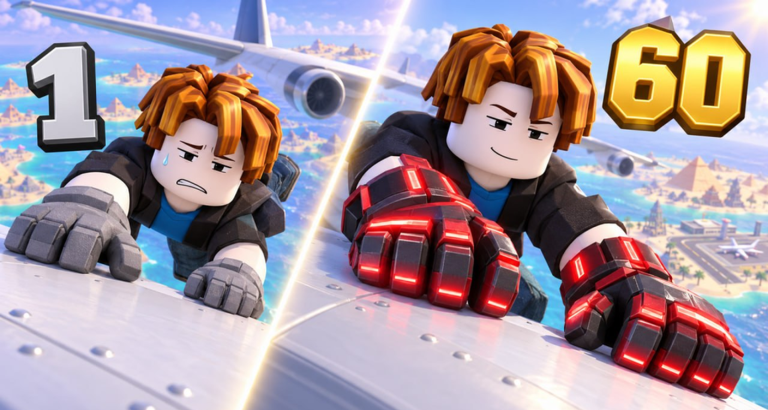
- Redemption happens inside the game on Roblox — not on the website and not on any third-party page.
- Only codes published by the developer Oi_iO are worth trying; the current one is on our codes list.
- If a code fails, the problem is almost always spelling, expiry, or a fake code from an unofficial site.
Redeeming a code, step by step
Catch a Plane! follows the standard Roblox simulator redemption flow. Here is the full sequence:
- Launch the game
Open Catch a Plane! from its official Roblox page and wait for your character to load into the world.
- Open the codes option
Look for the codes button or icon on the main game screen — in Roblox simulators it usually sits in a side menu or bottom bar. Click it to open the redemption input.
- Type or paste the code
Enter the code exactly as published — keep the capitalization and do not add spaces before or after. Copy-paste is safer than typing.
- Confirm and collect
Submit the code. If it is active, the reward is applied to your account immediately and usually confirmed with an on-screen message.
The exact button placement can move between updates — Catch a Plane! shipped its first major update in late October 2026 — but the flow above has stayed the same across Roblox simulator games.
Code not working? Work down this list
Check the spelling
Codes are case-sensitive. Re-copy the code from the official list and paste it again — invisible trailing spaces are the number one culprit.
Confirm it is still official
If the code no longer appears in the developer’s game description, treat it as expired. Expired codes return an invalid error even if you typed them perfectly.
Beware lookalike games
Search results for “catch a plane” include songs and other games. Make sure you are inside Catch a Plane! by Oi_iO — codes from other games never work here.
Try rejoining
If the redemption UI misbehaves after an update, leave and rejoin the server. A fresh session resolves most interface glitches.
One code, one account
Roblox gift codes are single-use per account. Redeeming the same code twice does not double the reward — the game simply rejects the second attempt. If you play on multiple accounts, each account needs its own redemption.
Once your reward lands, put it to work: the fastest pairings are covered in the grip training guide and the gloves guide.
Frequently Asked Questions
Frequently Asked Questions
Where exactly is the redeem button in Catch a Plane?
The redemption option lives inside the game UI — typically on a side or bottom menu, represented by a codes icon. Its exact position can shift between updates, but it is always reachable from the main screen without leaving the server.
Can I redeem Catch a Plane codes on the Roblox website?
No. Like most Roblox simulator codes, Catch a Plane! codes are redeemed inside the game client itself. The Roblox website has no input for game-specific gift codes.
What does an expired code error look like?
The game rejects the code with an invalid or expired message. That is the same message a mistyped code produces — so first re-check the spelling, then verify the code is still listed in the official game description.
Do I need to join the Oi_iO group to redeem codes?
There is no verified requirement to join the developer's group to redeem the published code. Joining the Oi_iO community is still useful for tracking the developer's future releases.